



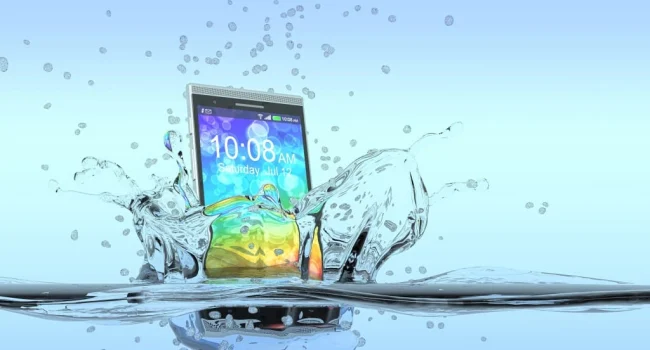
Top smartphone manufacturers continue to sell inexpensive models without built-in moisture protection. In addition, millions of people use cheap push-button phones. In rainy weather, moisture can get into the USB port of the device and damage it, making charging impossible. Natalia Golitsyna, head of the telephony department of the MTS retail network, told Gazeta.Ru about these and other negative consequences of moisture on a smartphone, as well as ways to protect it.
Golitsyna believes that the most vulnerable elements of a smartphone and phone to rain are the display and the charging connector, the so-called USB port. Damage to each of these components often leads to expensive repairs.
“In the case of the screen, moisture can cause dark spots due to problems with the backlight or a complete lack of image. And in the case of the USB port, problems with the battery arise, performance decreases, or the ability to charge the device disappears completely,” Golitsyna said.
According to her, the most reliable way to protect a smartphone and phone from moisture is to use a waterproof case. Such cases come in different models, and you can choose them depending on your needs. It is important to make sure that the case is certified according to the IP67 standard or higher, which guarantees protection against water jets and immersion to a shallow depth.
“It is worth following a simple rule – do not use your phone or smartphone in the rain. If you need to answer a call or message, you can do this using a smartwatch or headphones, which are more likely to be protected from moisture. Many modern devices also support voice commands, which helps minimize contact with the phone in adverse conditions,” the expert noted.
Golitsyna also recommended not to neglect the protection of ports on the smartphone. You need to close the charging and headphone jacks if they are not in use – this will reduce the risk of moisture ingress. Some accessory manufacturers, the expert added, offer special plugs that can additionally protect open ports.
Golitsyna also emphasized that if a smartphone or phone has already been damaged by water, you should not try to repair it yourself. Do-it-yourself efforts are likely not only not to help, but will also worsen the situation. Therefore, it is better to immediately contact the service center for help.